ANTI-THEFT INTRUDER SELFIE

Catch phone thieves. Get the evidence to recover your phone.

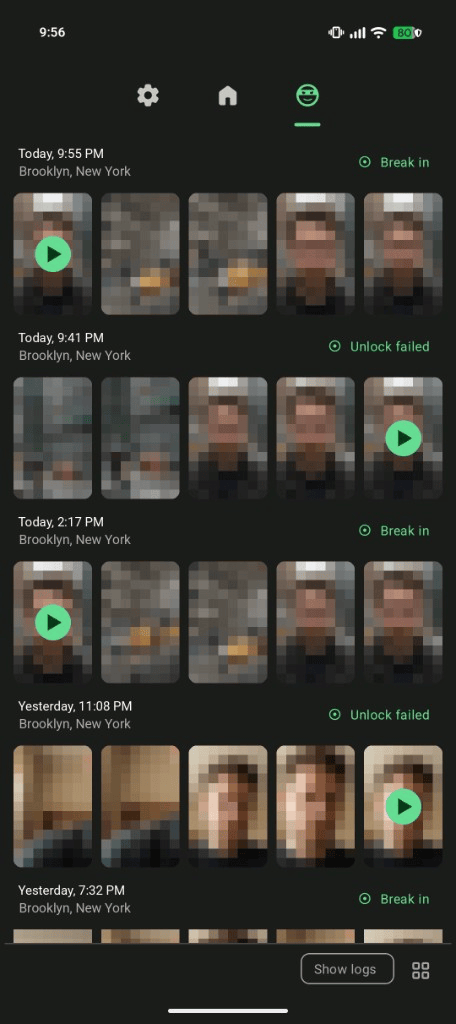
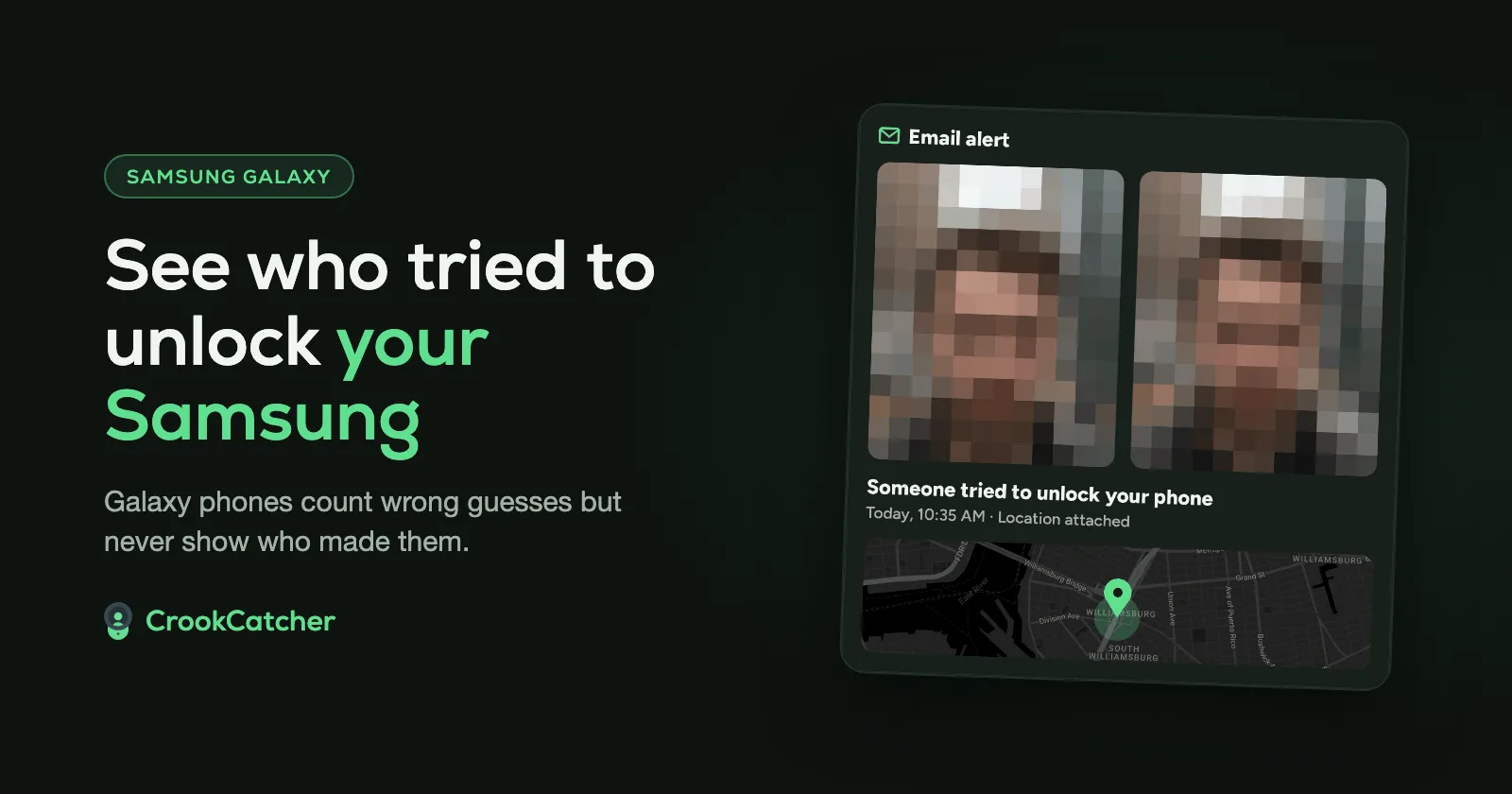
CrookCatcher for Android automatically takes an intruder selfie when someone enters a wrong PIN, pattern or password, and emails you their photo and location.

Get it on Google Play

Free on Android · No registration

CrookCatcher email alert showing two intruder photos, unlock attempt message, time, and a map with location pin
4.6stars
from 90K+ ratings
12M+
downloads
Since 2014
protecting phones
1.2M
intruder photos every day

How CrookCatcher works

Three steps from failed unlock to evidence you can use

  1. CrookCatcher taking an intruder selfie after a wrong PIN, pattern or password

    Intruder selfie

    When someone enters a wrong PIN, pattern or password, CrookCatcher automatically takes an intruder selfie and records the location.

  2. CrookCatcher email alert with intruder photo and GPS location

    Instant email alert

    You'll receive the intruder's photo and location instantly in your email inbox — before they even realize it happened.

  3. Share the evidence

    Share the evidence with the police or people nearby to help get your phone back.

Free essentials, Pro when you need more

Everything you need to catch an intruder is free. Pro adds stronger evidence and more ways to fight back.

FREE

Essential protection

  • Intruder selfie

    Front-camera photo on wrong PIN, pattern or password

  • GPS location

    Location recorded with every alert

  • Instant email alerts

    Photo and location sent straight to your inbox

PRO

Unlock more with Pro

Collect stronger evidence

  • Video with sound

    Capture voice and movement for stronger proof

  • Break-in detection

    Still alert if they guess the right unlock after failing

  • Back camera

    See surroundings, not just the intruder's face

  • Google Drive backup

    Evidence saved off-device automatically

Fight back

  • Loud alarm

    Startle thieves and alert people nearby

  • Lock screen warning

    Show a message when an alert is triggered

  • Fake home screen

    Trick thieves into thinking they unlocked the phone

Stay hidden

  • App lock

    Pattern-lock CrookCatcher so it can't be disabled

  • Disguised icon

    Look like a file explorer so thieves won't find it

  • Hidden notifications

    Alerts only appear after you unlock

  • Custom email subject

    Keep alert emails discreet in your inbox

It actually works

Rated 4.6★ from more than 90,000 ratings on Google Play

Get it on Google Play

Truly love this application. Yesterday my handset was stolen, but I had the picture of the thief, so with the help of some friends I recognized the thief and today I have my phone. 🥰🥰🥰

Muhammad Bilal

Google PlayFeb 21, 2021

Excellent app for protection and security! CrookCatcher exceeded my expectations. It is discreet, efficient and does exactly what it promises. I loved the functionality of taking photos of those who try to unlock their cell phone the wrong way. Furthermore, sending location information and a photo via email is a big plus, especially in cases where the device is lost or stolen. The app is easy to configure and works perfectly.
Flavia Inacio

Google PlayJan 10, 2025

I can't say this enough—thank you for making such an amazing app! I truly am in love with this app. CrookCatcher has recovered my cell phone 3 times now. I can't express my appreciation to you all for the effort spent over so many days, weeks, and even years making this amazing app. I thank you from the bottom of my heart for making my life just a little bit easier. I recommend this app to everyone. Everyone should have CrookCatcher installed on their cell phones; it is a truly amazing app. 😘

Gloria Mancilla

Google PlayFeb 20, 2024

Frequently asked questions

Everything you need to know about setup, privacy and Pro.

Visit the help center

CrookCatcher takes an intruder selfie with the front camera, records GPS location if available, and emails these to you. With Pro, it can also record video, use the back camera, play alarms, and show a fake home screen.

You can configure how many failed unlock attempts (wrong PIN, pattern or password) are required before CrookCatcher activates. Once that threshold is reached, it takes photos, records videos (Pro), and sends alerts based on your settings.

The free version includes an intruder selfie on wrong PIN, pattern or password, GPS location, and instant email alerts with the photo and location.

Pro includes video with sound, Google Drive backup, back camera photos, lock screen warning messages, alarm sounds, fake home screen, app lock, disguised icon, break-in detection, custom email subjects, hidden notifications, and removes ads.

The price of CrookCatcher Pro varies depending on your country of residence. You can see the exact price for your region directly inside the app.

All photos and videos are stored locally on your device and can be viewed in the app. They are also sent to your email automatically. Pro users can additionally upload files to Google Drive for access from any device.

Yes. CrookCatcher will take intruder selfies and store them locally, then send alerts once an internet connection is restored.

Pro features help keep the app hidden by disguising the app icon, hiding notifications until unlock, customizing email subjects, and locking the app itself with a pattern.

Protect your phone before someone tries to break in.

Get it on Google Play

Android only

  • No registration

    Set up in minutes.

  • Your photos go only to you

    Alerts are sent from your own Gmail account. We never see your photos. Privacy policy

  • Easy on your battery

    Only activates on a wrong PIN, pattern or password.